

-

Applications

Industries

 OEM & ODM Service
 Development Service
 Download
 Technical support
 Warranty & RMA
 FAQS
FAQS
 My Community
 Who Is CIVINTEC
 Why CIVINTEC
 News & Express
 Cooperation





 Oct 10, 2026
A library can close its service desk while readers still need a quiet place to study. Early arrivals, evening study sessions, and weekend room bookings all create demand for access beyond staffed hours. For library operators, the challenge is to extend that access without opening staff offices, collection storage, or every floor to everyone who enters the building.
Self-service library access control connects a reader's approved access rights with the physical entrance. A suitable system allows routine entry without a member of staff checking each arrival, while retaining a clear way to request help. Touchless identification can make this journey easier for readers carrying books or bags, especially when combined with a suitable automatic door or accessible entrance.
CIVINTEC develops and manufactures access control hardware for integration with customer management software. Centered on the CT11 facial recognition access control terminal, alongside CT10 and CT9 PRO credential-based terminals, this approach brings identity verification, door control, and remote assistance into a coordinated library entrance design. Membership rules, reservations, and library services remain with the operator's software and management processes.
A public library, university library, or neighborhood reading room rarely operates as a single permission zone. A visitor attending an afternoon talk may need the public entrance and event room. A registered reader studying after hours may need only the vestibule, reading area, and designated facilities. Neither visit should automatically grant access to staff workspaces or special collections.
An effective library access control system starts with these differences. The operator defines which spaces are available, during which hours, and to which reader groups. The access control installation then applies those decisions at the appropriate doors. CIVINTEC's Modern Campus Access Control Solution provides related context for institutions managing several user groups across connected buildings.
Separate library spaces by their purpose and operating hours, then define the permission at each boundary:
Public entrances and service areas: During staffed hours, the main entrance may operate under a public-access policy for readers and event visitors. Entry to the building does not automatically authorize access to staff workspaces.
Extended-hours reading zones: After the desk closes, the configured control system can apply the approved reader-access arrangement. Limit this permission to the designated reading areas and their permitted routes.
Bookable group study rooms: Link access to the approved room and session through customer software. A booking for one room should not grant unrestricted access to other rooms on the same floor.
Staff workrooms and collection stores: Keep these spaces separately authorized, even when the public reading area remains open. Special collections may also require curator approval and supervision.
Plan the route beyond the first door. A reader admitted to an evening study zone needs a usable route to permitted facilities and a clear exit. Staff corridors and collection stores can remain separately controlled. For a university library within a wider campus, the CIVINTEC campus access control systems overview offers a broader starting point for coordinating building and campus permissions.

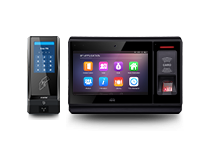
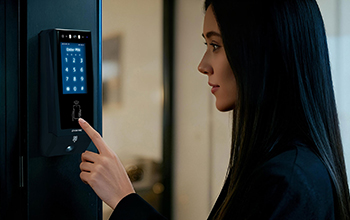
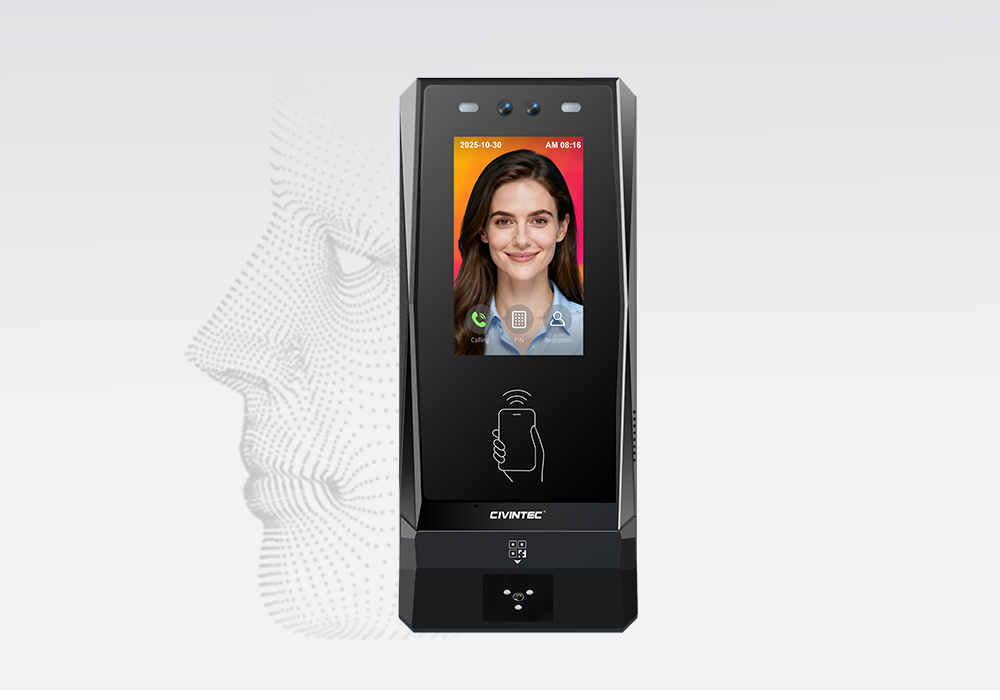
The CIVINTEC CT11 access control terminal combines facial recognition, a 3.5-inch touch screen, and VoIP audio intercom. In a library entrance design, facial recognition offers enrolled readers an identification method that does not require presenting a card or touching the terminal. The screen can provide a visible response while the connected door arrangement completes the entry process.
Touchless facial identification: Enrolled readers can identify themselves without presenting a card or touching the terminal, which is useful when carrying books or study materials.
Visible entry feedback: The 3.5-inch touch screen can show the access response, helping readers understand the result while the connected door arrangement completes the entry process.
An alternative credential route: Offer an approved card or NFC/BLE mobile credential route for readers who do not use facial recognition. The library determines its enrollment and credential policy.
Coordination with the physical door: Touchless identification does not make a manual door hands-free. Coordinate a compatible automatic door and its safety controls where the project requires fully hands-free passage.
Place the terminal where readers can approach it without blocking a return station, staircase, or accessible route. Evaluate mounting position, entrance lighting, and the space needed to present a credential comfortably. Trial the complete journey with representative users instead of treating a recognition specification as proof of entrance throughput.
Facial recognition should be part of a considered service choice. Library operators should decide how enrollment is offered, how readers receive information about its use, and what alternative credential is available. A reader who does not use facial recognition should still have an understandable entry process. CIVINTEC's CT11 facial recognition and VoIP overview introduces the terminal's combined identification and assistance functions.
Self-service operation still needs a human response when the normal journey breaks down. A reader may arrive before a booking starts, present a replaced card, or find that an entrance is unavailable. Clear voice assistance gives that reader a practical next step instead of encouraging repeated attempts or waiting for someone else to open the door.
Call a designated service point: CT11 and CT10 support VoIP audio intercom. Through the project communication setup, a library can route assistance to a staffed desk or remote support team.
Explain the access decision: The service team can clarify an early arrival, a replaced credential, or an unavailable entrance. Audio assistance does not itself establish the caller's identity or entitlement.
Handle an authorized exception: Where the management system and procedures allow, an operator can authorize a controlled exception after the required checks. Responsibility for that decision remains with the library.
Before extending opening hours, assign responsibility for answering calls and define what happens when nobody answers. Show an alternative contact method and the hours during which assistance is available. CT9 PRO has no built-in VoIP intercom, so entrances using that model need a separate assistance route if remote support is required. CIVINTEC's article on unattended access control systems discusses the operational importance of handling these exceptions.
[block1]
There is no single credential that suits every reader. A regular member may prefer a library card; another may use an NFC/BLE mobile credential. A researcher visiting for a scheduled appointment may need temporary access. A flexible library access control design supports the approved options without assuming that each reader has a compatible smartphone or wants biometric enrollment.
An existing library card can be a useful starting point, but its compatibility must be checked. CIVINTEC CT11 and CT10 support 125kHz and 13.56MHz RFID technologies. The card technology, application structure, and available permissions determine how a particular library credential can be used. RFID tags attached to books are a separate system and should not be treated as reader access credentials.
Protected DESFire authentication: For RFID deployments using DESFire EV1/EV2/EV3 credentials, correctly configured AES authentication of a protected application can resist misuse based only on copied card identifiers. Reading the public UID alone does not activate this protection.
CT9 PRO SAM provision: CT9 PRO has a SAM card slot design relevant to secure credential projects. Confirm the actual module and key configuration; a slot alone does not establish that a SAM is installed or configured.
Credential protection does not prevent someone lending a valid card to another person. Keep credential security and the rules for personal use distinct.
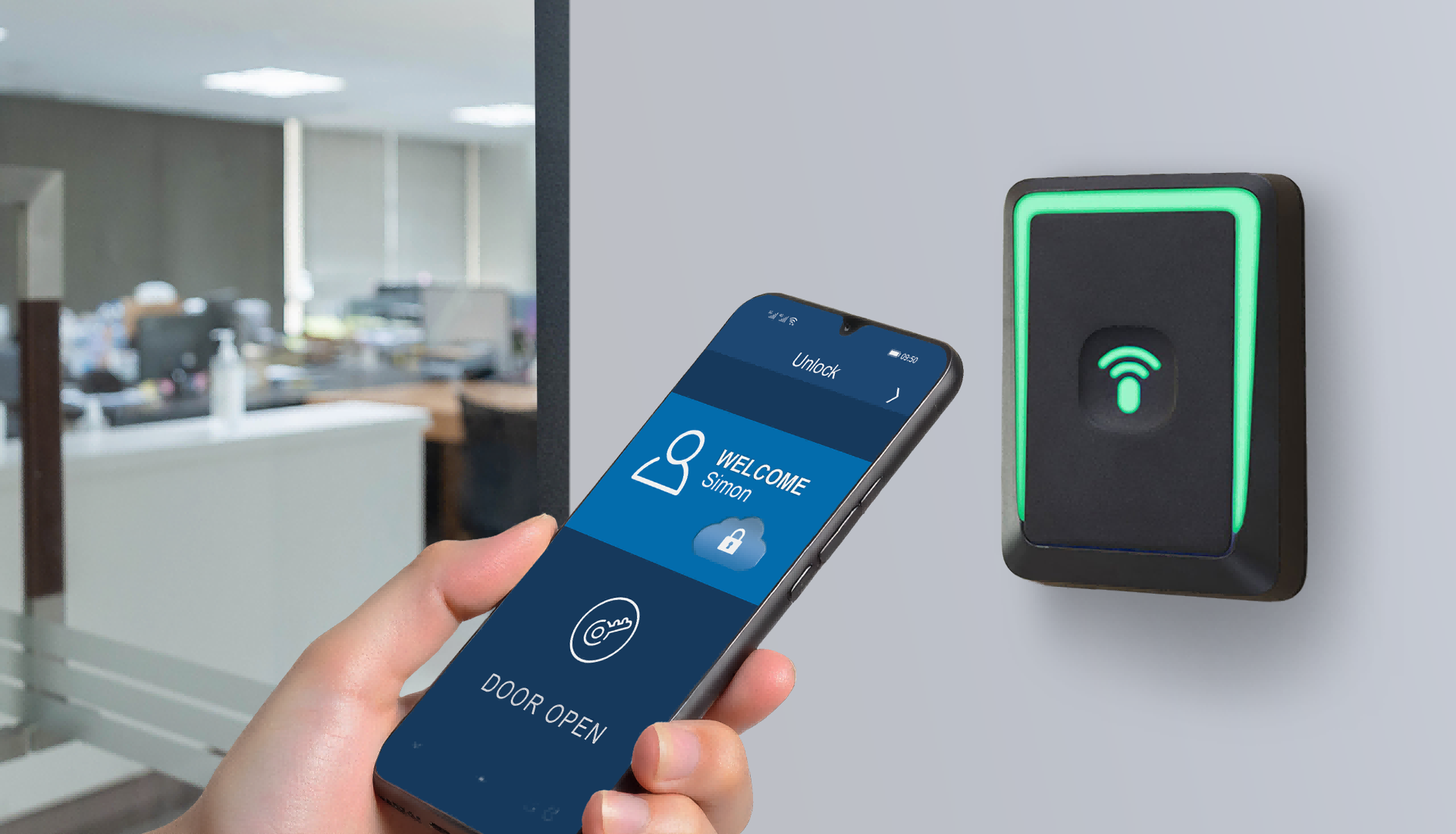
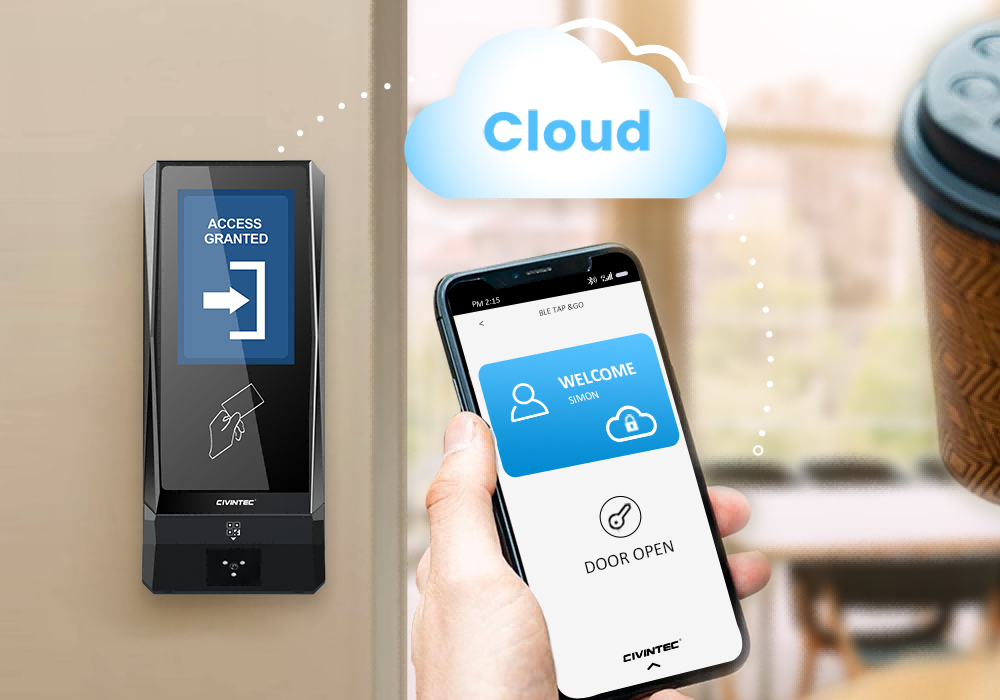
NFC/BLE mobile credentials offer a contactless alternative for readers using a compatible phone and credential application. A library may connect credential issuance to its reader account process through customer software, keeping the physical card option available where appropriate. Supported phone behavior, enrollment, and credential replacement should be evaluated before the service is promoted to readers.
Avoid making a working phone the only route into an extended-hours library. A depleted battery, a changed handset, or a reader without mobile access should have a defined alternative. The operator also needs a clear process to revoke a lost credential and issue its replacement without leaving both active unintentionally.
An optional QR code module can support a temporary visitor or booked-session workflow when integrated with the relevant customer platform. That platform defines issuance, validity, cancellation, and reuse rules. A QR image is not inherently protected against forwarding simply because it is used at an access control terminal.
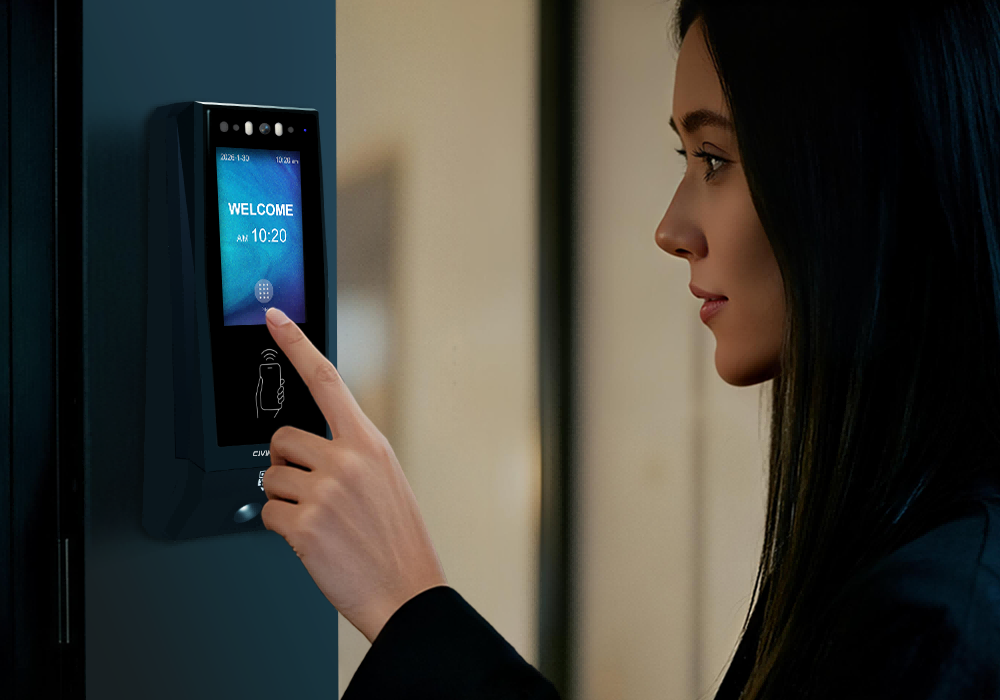
PIN entry can provide another configured option, but it requires interaction with the touch screen and should not be presented as touchless. Basic PIN configuration is available in standalone mode; dynamic PINs and advanced person-specific PIN workflows require customer cloud software. Offering several credential methods also does not mean that multiple methods are automatically enforced together as multi-factor authentication.
A city-center library entrance, a sheltered campus doorway, and a small community branch can expose hardware to different conditions. Rain carried through a vestibule, direct sunlight on a screen, or a narrow door frame all affect installation choices. Hardware selection should consider the actual entrance position rather than treating every library as a fully protected indoor environment.
CIVINTEC lists IP65 protection for the CT11 and CT10, together with IK07 impact resistance. These ratings provide specific selection information; they are not a promise of resistance to every cleaning method, impact, or installation condition. Check the chosen model's specification, cable protection, mounting surface, and environmental limits. Position the terminal so readers can use it comfortably and maintenance staff can service it without obstructing the entrance.
The following matrix outlines possible roles for CIVINTEC terminals. It is a planning guide, not a claim that every library needs every zone or the same configuration. Select the credential method and support arrangement for each doorway before choosing additional functions.
| Library zone | Possible terminal | Access purpose | Planning priority |
|---|---|---|---|
| Extended-hours main entrance | CT11 | Enrolled facial recognition or approved alternative credential | Accessible passage and reader assistance |
| Secondary reader entrance | CT10 | Card or mobile entry with audio assistance | Credential policy and call response |
| Bookable group study room | CT9 PRO | Entry linked to approved room permissions | Customer booking integration |
| Staff office and workroom | CT9 PRO or CT10 | Separate staff authorization | Staff schedules and credential lifecycle |
| Special collections entrance | CT11 or CT9 PRO | Access for specifically authorized users | Curator approval and supervision policy |
| Community branch entrance | CT11 or CT10 | Managed entry outside desk hours | Connectivity and support coverage |
A special collections room may still require staff supervision even when its entrance uses electronic access control. Likewise, a study room reservation is a right to use a particular space, not permission to enter every room on that floor. Keeping those distinctions visible in the deployment plan helps the operator explain the service to readers and staff.
CT11, CT10, and CT9 PRO serve different identification and assistance needs. A library can use more than one model while maintaining a coordinated permission policy in customer software. The comparison below highlights the distinctions most relevant to a self-service entrance project.
| Selection point | CIVINTEC CT11 | CIVINTEC CT10 | CIVINTEC CT9 PRO |
|---|---|---|---|
| Main role | Facial recognition access control terminal | Credential-based access control terminal with camera | Credential-based access control terminal |
| Interface | 3.5-inch touch screen; Linux | 3.5-inch touch screen; Linux | 3.5-inch touch screen; Linux |
| Credential options | Face; RFID (125kHz & 13.56MHz); NFC/BLE mobile credentials; optional QR code; PIN | RFID (125kHz & 13.56MHz); NFC/BLE mobile credentials; optional QR code; PIN | RFID (DESFire with SAM); NFC/BLE mobile credentials; optional QR code; PIN |
| Camera function | Facial recognition; confirm project capture settings | Supported photo capture on RFID card and QR code reads | No built-in camera |
| Reader assistance | VoIP audio intercom | VoIP audio intercom | No built-in VoIP intercom |
| Software integration | SDK for customer software development | SDK for customer software development | SDK for customer software development |
Choose CT10 for credential-based entry with audio assistance, or assess CT9 PRO for card and mobile access control where built-in face recognition and intercom are unnecessary. CT9 PRO's SAM slot does not mean a SAM is already installed or configured. Confirm QR, network, and other options for the ordered configuration; the PIN distinction described above also applies when selecting a model.
An authorization event is only one part of a reader's visit. A door can remain open after a valid entry, another person can follow the authorized reader, or a support call can reveal a damaged entrance. Self-service library access control should therefore be designed around the physical doorway and the library's response procedures, as well as credential verification.
Where compatible door contacts and alarm connections are installed and configured, door-status monitoring can support a DOOR NOT CLOSED response. Someone must receive that information and know what action to take. A notification without an assigned responder provides little practical help at an unstaffed branch.
Anti-passback applies rules to the sequence of credential entry and exit events; it is not physical tailgating detection. Where the entrance requires controlled single-person passage, assess appropriate gates, sensors, accessibility arrangements, and supervision. Do not treat a count of credential presentations as an exact count of people inside. Group visits and readers holding a door for others can make the two figures different.
Emergency exit arrangements need a building-level design that considers the doors, locks, power supply, and applicable safety requirements. Do not make safe exit depend on a reader having a working phone or remembering a PIN. The terminal's supported interfaces should be assessed as part of that wider arrangement rather than presented as a universal evacuation solution.
Access records can help staff investigate a reported doorway problem or review service use. They should remain distinct from borrowing histories and reading choices. Decide which records are necessary, who can view them, and how long they are retained. CT10's supported RFID and QR capture functions require appropriate configuration; they do not imply continuous video monitoring or photographs of every person passing through the entrance.
For a library access control system, the key integration question is how an approved reader entitlement becomes an access decision at a specific door. The customer platform manages membership status, permitted areas, opening schedules, and reservations. CIVINTEC terminals provide identification and supported control functions within the configured architecture.
For an evening group study session, the booking-to-entry workflow can be organized into four stages:
Confirm the booking: The customer booking platform approves the reader's reservation and defines the room and permitted time.
Make the authorization available: Integration passes the relevant permission to the access control system under the configured architecture.
Verify the credential at the door: The terminal verifies the presented credential under the configured rules and controls the associated entrance.
Update changed permissions: Cancellation or reassignment must also update the relevant access permission.
CIVINTEC's Meeting Room Reservation Solution describes a related integration approach using CT9 PRO and third-party software. For libraries, the application can be adapted to bookable study spaces through project development. Seat availability, booking conflicts, no-show policies, and charges remain software functions; they do not become built-in terminal features because the doorway is connected.
The same separation applies to circulation and facility services. Door access does not check out books, change item security tags, or replace a library's collection-protection gates. Lighting or room equipment may be coordinated through customer software and suitable external controls where supported. A door event alone should not be used as proof that a room is occupied or empty.
TCP/IP Ethernet and model-dependent wireless options allow different network arrangements. HTTP/HTTPS communication and SDK resources support customer software integration, but an integration still needs development, configuration, and testing. Select the ordered network variant for the branch rather than assuming every terminal includes every wireless option.
Define what remains available during a connection failure. Configured local operation may support stored permissions, but a disconnected terminal cannot receive a new server-side revocation until communication and synchronization resume. Fresh bookings, cancellations, and remote assistance may have separate dependencies. Backup power also requires its own design. For a library offering extended hours, the practical objective is a clearly understood fallback procedure, not an unsupported promise of uninterrupted operation.
Start with the service model, then validate one representative entrance before expanding across branches. This makes it easier to find confusing reader instructions or permission gaps while the project remains manageable.
Map public, extended-hours, staff, and restricted zones: Identify the complete routes that each user group needs, including permitted facilities and exits.
Agree the credential choices: Review existing cards, optional facial enrollment, NFC/BLE mobile credentials, and the alternative route for readers who cannot use their usual method.
Assign software responsibilities: Name the system that controls membership, room reservations, credential revocation, and authorization updates. Keep circulation functions separate.
Select terminals and doorway equipment: Confirm the required camera or intercom functions, network variant, door-control interface, and accessible passage arrangement.
Pilot realistic exceptions: Test early arrivals, cancelled bookings, replaced cards, lost connectivity, unanswered calls, and doors left open alongside successful entry.
Review the reader experience after launch: Use service feedback and relevant access events to improve instructions, support coverage, and zone permissions before adding more entrances.
Staff preparation is as important as hardware commissioning. A service desk should know whether a reported problem concerns a reader account, a room booking, a credential, or the physical door. That distinction helps the right team resolve the issue and avoids turning every exception into a shared access code. Keep a documented route for updating permissions when opening hours change for holidays, examinations, or local events.
[block2]
Touchless self-service library access control can support longer access hours while keeping library spaces organized around clear permissions. CT11 brings facial recognition and audio assistance to suitable entrances; CT10 offers credential-based entry with a camera and VoIP; CT9 PRO supports card and mobile access control for other defined zones. Their value depends on matching each model to the doorway and the reader service being offered.
For public and academic libraries, the strongest starting point is a clear service policy: who may enter, which spaces are available, how authorization changes, and where a reader can get help. CIVINTEC access control hardware gives integrators a foundation for implementing that policy with customer software, while retaining the distinction between building access, reservations, and library circulation.
Initiate Technical Consultation: Contact CIVINTEC Project Engineers
Explore Product Specifications: Browse CIVINTEC Access Control Hardware Line


 Home >
  Share
Share



 Contact Us