

-

Applications

Industries

 OEM & ODM Service
 Development Service
 Download
 Technical support
 Warranty & RMA
 FAQS
FAQS
 My Community
 Who Is CIVINTEC
 Why CIVINTEC
 News & Express
 Cooperation





 Oct 21, 2026
A customer signs a storage agreement online, loads a van and reaches the site after reception closes. Their first visit should take them through the correct entrance and to their rented unit. Weeks later, a colleague may need permission to collect stock. At move-out, the operator must close those permissions without leaving an old card or code active for the next tenancy.
Self-storage access control connects these changing rental relationships with physical entry. A useful design identifies the renter, defines the doors they may use and updates that access as the agreement changes. Shared gates, building entrances and individual storage doors each need an appropriate control arrangement.
CIVINTEC supplies access control hardware with QR code, RFID and PIN options, supported by SDK integration with customer software. Operators can offer several entry methods within the same deployment while keeping authorization under a common management process. The following approach follows the tenancy from initial activation through daily use to final withdrawal of access.

The rental record gives access permissions their business context. It identifies the account holder, assigned unit, authorized users and agreed access period. The customer's management software should translate this information into permissions that the terminal or connected controller can apply. A successful payment or signed agreement only activates entry when that workflow has been deliberately integrated.
Start by mapping the renter's route. A tenant in an upstairs unit may need the pedestrian entrance and their floor, while a customer using an outdoor unit may need only the vehicle gate. Access to staff offices, equipment rooms and other tenants' storage spaces should remain separate. A shared entrance permission must never be treated as authority to open every unit beyond it.
CIVINTEC's self-storage and rental cabinet solution describes CT9 PRO integration with a PLC or a remote server. This provides an architectural reference for connecting identification with storage-door control. A facility with many individual locks still needs the appropriate lock interfaces and controllers; the number of doors cannot be inferred from the presence of a terminal at reception.
For procurement, separate two decisions: which entry points need electronic control, and which credential methods renters should use there. This prevents a convenient gate credential from being mistaken for complete unit-level protection.
Move-in is often the first time a customer encounters the access control terminal. Clear instructions and correctly assigned permissions matter as much as the credential itself. The welcome message should identify the entrance, opening hours, storage location and assistance route, with a simple explanation of where to present a QR code or card.
An integrated onboarding process can follow these steps:
Approve the tenancy in the customer's rental software and assign the correct unit or cabinet.
Create access permissions for the required entry points and the agreed start time.
Issue the selected credential through the customer platform or register an RFID card against the authorized user.
Confirm that the required terminal or controller has received the permission before telling the customer that entry is ready.
For an after-hours arrival, a QR credential can remove the need to collect a physical card first. The operator can then offer an RFID card for frequent visits. Both credentials should remain associated with the same authorized tenancy so later changes affect the correct access rights.
Consider a postponed move-in. If the customer reschedules, the software should update the permission window and check whether an earlier credential remains usable. Sending a new welcome email alone does not change door permissions. The integration should make this distinction visible to the team handling customer support.
[block1]
A self-storage access control system can accommodate different visiting habits. A first-time renter may prefer a QR code on a phone, a business customer may use an RFID card every morning, and another authorized user may need a PIN option. Supported methods can remain available alongside each other on the chosen terminal configuration; the whole facility does not have to use one credential type.
Parallel availability means the user presents an approved method for that entrance. It does not mean every visit requires QR, RFID and PIN together. A rule such as card plus PIN is a separate combined-verification setting and should be confirmed for the selected hardware, firmware and integration.
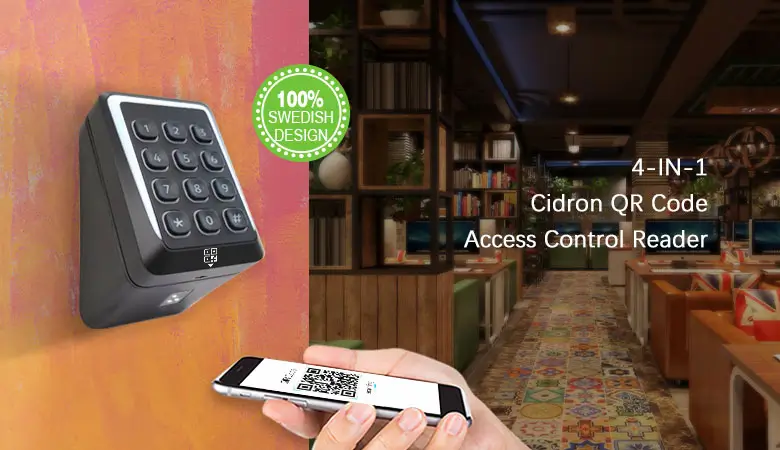
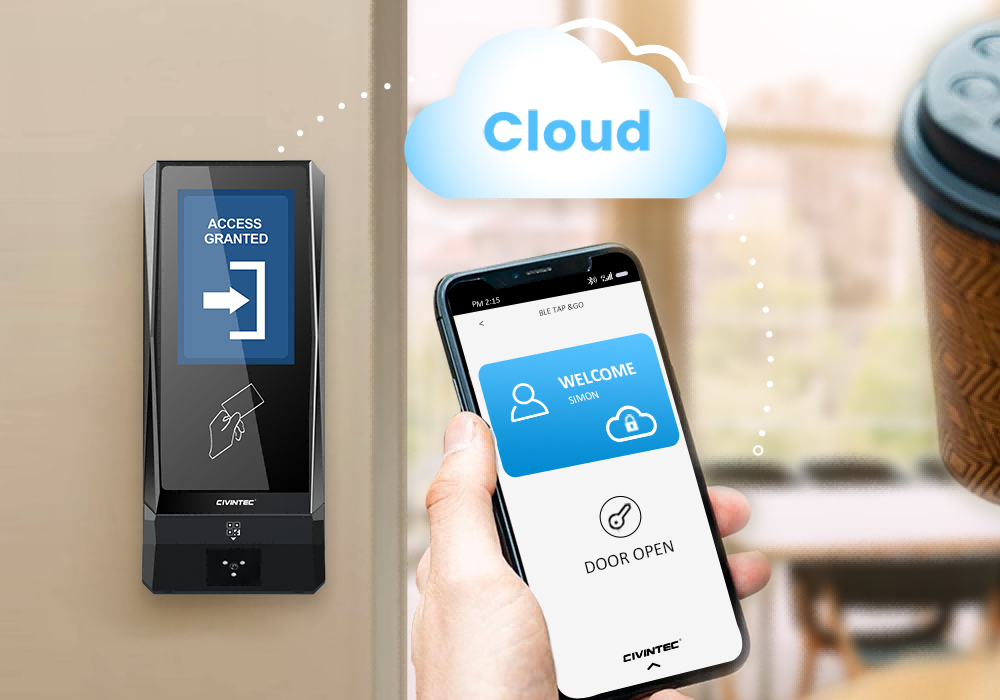
QR entry suits remote onboarding and short access periods. With the appropriate QR code module, a terminal reads the credential presented on a phone or supported printed format. The customer software defines the permission behind that credential, including its associated user, permitted doors and validity period.
An operator might authorize a removal team for the scheduled move-in window, while the renter retains ongoing access. Where supported by the integrated system, the team receives a separate credential that can expire without interrupting the tenant's normal visits. CIVINTEC's QR code access control solution provides further background on this approach.
A QR image can be copied or forwarded. Its protection therefore depends on the authorization checks behind it, rather than the appearance of the code. Expiry, cancellation and any usage limits need to be enforced by the agreed system design. Describe these as configured controls, not automatic properties of every QR code.
RFID provides a physical credential for customers who frequently collect tools, documents or business inventory. A card can remain assigned to an authorized user across many visits, with the software determining which rented spaces and access periods it permits. Staff can revoke a lost card and issue a replacement without changing every customer's credential.
For RFID deployments requiring stronger credential protection, DESFire EV1/EV2/EV3 with AES authentication can help resist misuse based on copied card identifiers. This requires correctly configured protected applications, keys and authentication. Reading the card UID alone does not enable that protection. CT9 PRO's SAM slot is relevant when planning supported secure RFID configurations; slot provision does not mean a SAM is already installed or configured.
Keep card security separate from account administration. Even a securely authenticated card should lose its authorization when the associated permission ends. It also remains possible to lend a legitimate card, so operational rules and entrance design still matter.
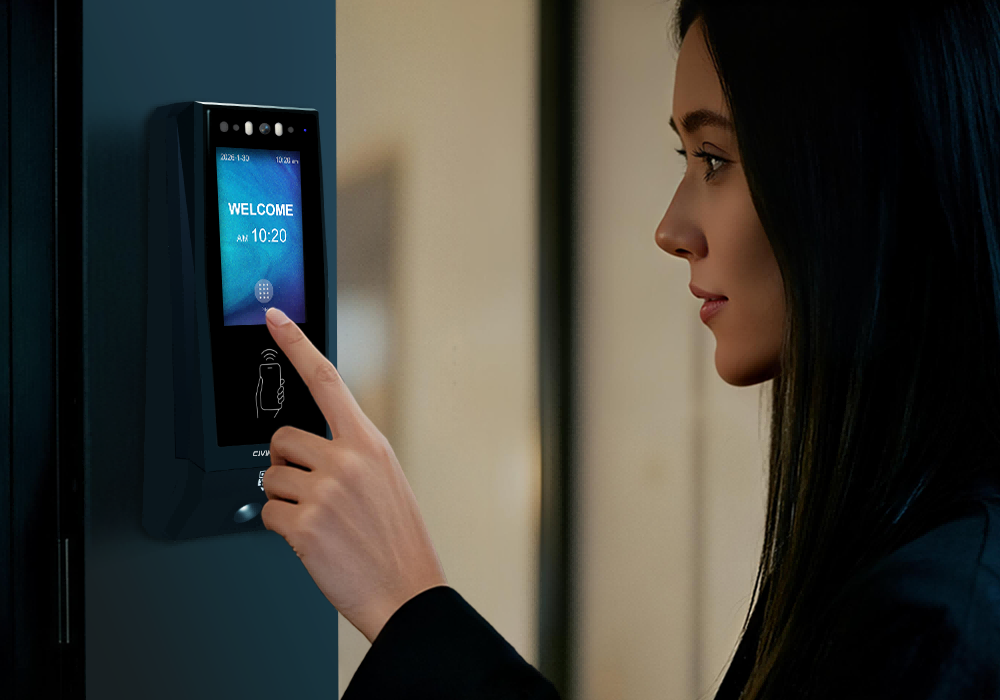
PIN entry avoids the need to carry a physical card. CIVINTEC terminals support basic PIN configuration, while advanced workflows such as individually assigned or dynamic PINs depend on the customer's software integration. This distinction matters when selecting a system for remotely managed storage facilities.
Avoid one permanent code shared across all renters. Such a code makes it difficult to remove one departing user's access or relate an event to a particular account. Where the integrated platform supports individual PIN management, define how codes are issued, changed and withdrawn. A forgotten-code request should follow an identity-check process before a replacement is supplied.
The alternative method should remain subject to the same tenancy status as the primary method. If an account loses access, leaving its fallback PIN active would undermine the intended restriction.
CIVINTEC's SDK supports integration between access control hardware and customer-developed or third-party software. In a storage project, the rental platform remains responsible for agreements, customer records, payments and business decisions. The integration connects approved access changes with the supported terminal functions and returns relevant access events to the platform.
Define the information exchanged before implementation. The software team needs a consistent way to associate a tenant and credential with a site, entry point and authorization period. Device identifiers must map to real doors rather than ambiguous labels such as entrance one across several branches. This makes support queries and later site expansion easier to manage.
In a server-connected design, the terminal communicates with the customer's server and acts on the supported authorization response. A PLC-based arrangement can place the decision and lock control in the connected controller. CIVINTEC's storage solution describes both approaches; the project should choose a clear architecture for each entrance.
An SDK is not a ready-made rental management platform. The integration team still implements account workflows, permission mapping, exception handling and the connection to the selected devices. Confirm the required SDK functions and communication behavior against the chosen model before committing to a rollout.
The same distinction between business approval and physical entry appears in CIVINTEC's article on connecting reservations with QR code access control. In self-storage, the relevant business event is a tenancy change rather than a meeting booking, but the software must still translate that event into an enforceable permission.
The management platform should distinguish a saved instruction from an applied device update. A cancellation can be recorded centrally while a disconnected terminal still has older permissions. Where the integration exposes confirmation or device status, use it to identify changes that need attention.
Test repeated requests and delayed messages as well as normal entry. For example, an old activation instruction should not restore a tenancy that has already ended. The developer should define how the integration handles the order of updates, retries and any reconciliation after a connection returns. These are implementation requirements, not promises that every third-party platform already fulfils them.
Storage use often changes after the first visit. A renter may add another authorized person, transfer to a larger unit or extend the agreement. The access record should reflect those changes without requiring staff to rebuild the entire customer account.
For a unit transfer, decide whether the customer needs a short overlap period to move belongings. The customer software can then represent the approved access to both locations and remove the old unit permission at the agreed time. Avoid copying a broad access profile that accidentally includes unrelated units.
Business tenants also need a distinction between the account holder and other approved users. A company may rent one unit while several employees visit it. Where the management platform supports separate users, associate each credential with the correct person and account. Removing one employee should not automatically remove the remaining team's legitimate access.
Give contractors the entry points and time periods needed for their visit rather than the tenant's full permissions.
Replace lost credentials by withdrawing the old credential and confirming the replacement, rather than leaving both active indefinitely.
Review temporary permissions after work is completed, especially where an original visit has been extended.
These practices make self-storage access control easier to explain to customers. The operator can say which entrance is available and when, instead of relying on informal exceptions or shared codes that survive beyond their original purpose.
Move-out should be a defined authorization event. The operator confirms the final access period in the rental platform, handles any agreed collection arrangements and withdraws the credentials associated with the closed tenancy. Returning a physical card is useful, but electronic revocation should not depend entirely on getting it back.
Review every method attached to the account. An RFID card may have been returned while a QR credential or PIN remains valid. Additional users, removal teams and temporary exceptions should be included in the closure process. If the customer keeps another active unit, remove only the permissions linked to the ended rental.
The platform should also confirm that affected devices have received the changes. A stored end time may form part of an approved local authorization design, but an unexpected early cancellation cannot reach a disconnected device until communication resumes. Operators need a practical procedure for that gap.
After access is withdrawn, inspect and prepare the unit through the normal site process. An electronic access event does not establish that belongings have been removed or that the door is physically secure. Those checks remain separate from credential administration.
For payment exceptions or disputed departures, access changes should follow the operator's approved procedures and applicable requirements. The terminal does not decide contractual entitlement. Customer-facing staff need a clear escalation route when the account status and the renter's expectations differ.
The network determines how centrally managed permission changes reach the entrance. CIVINTEC offers wired and wireless connectivity across the terminal ranges, including TCP/IP Ethernet and model-dependent Wi-Fi or 4G options. Select the specific version for the location rather than assuming every communication option is included in every unit.
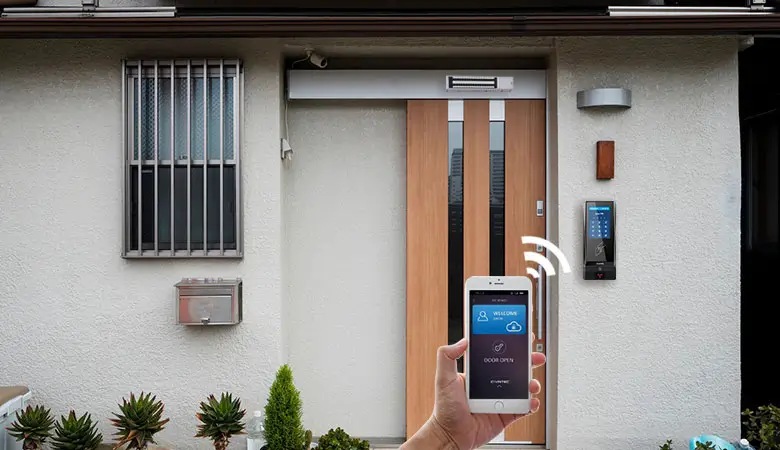
Ethernet is a practical starting point where a cable route is available. Wi-Fi requires coverage at the installed terminal, including inside metal-lined corridors or beside storage doors. A 4G configuration may suit a location without convenient fixed connectivity, but still needs suitable signal coverage, a data service and a local power arrangement. CIVINTEC's wireless access control solution outlines these deployment options.
Power over Ethernet carries network data and power to a compatible terminal through the Ethernet connection. This can simplify wiring where a suitable PoE switch or injector is available. Confirm PoE support for the ordered variant, along with its power requirements and the available switch capacity.
PoE for the terminal does not establish that it can power a gate motor or every connected lock. Door locks, controllers and other equipment need their own compatible electrical design. The integrator should check the complete entrance arrangement, cable routing and backup-power requirements before installation.
Local operation, where configured and supported, can use previously stored authorization information. It cannot receive new cloud instructions while disconnected. Decide which permissions may remain usable, what happens to temporary access and how operators will handle an urgent cancellation during an outage.
Power continuity is another design decision. A PoE terminal loses power if its upstream equipment loses power without suitable backup. Review the terminal, network equipment, controller and lock together. The entrance must also retain the required safe exit arrangements; authentication logic is only one part of the overall door system.
Select the terminal around the interaction required at the door. A storage operator focused on QR, RFID and PIN may prioritize credential handling and integration. A staffed reception or a specific identity-verification requirement may justify additional functions. The relevant differences should be visible during procurement.
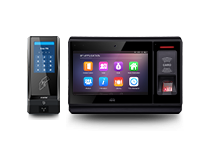
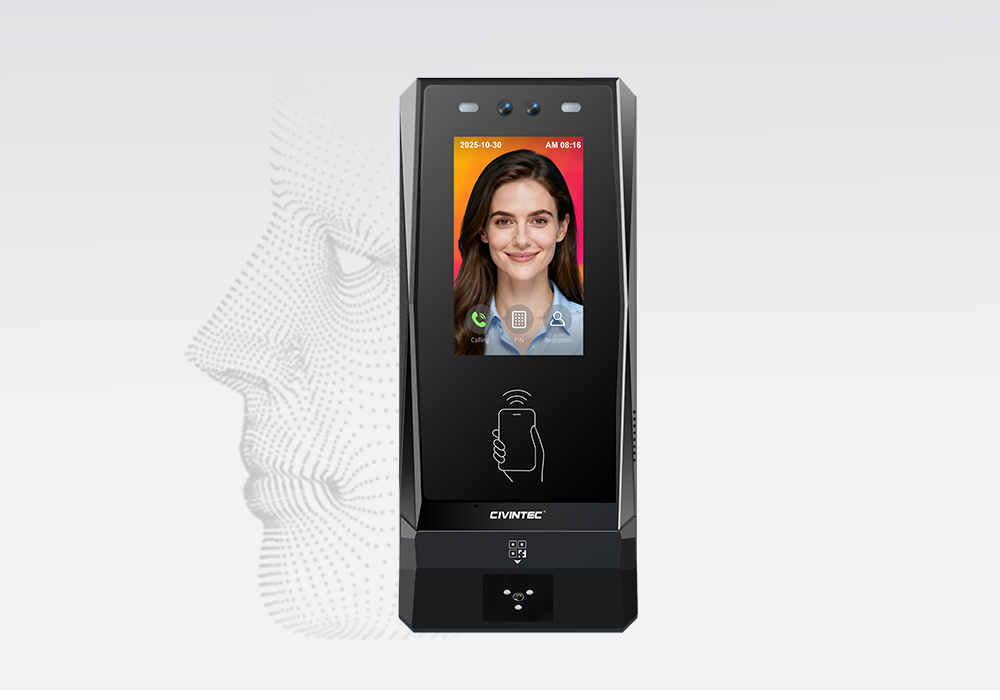
The CIVINTEC CT11 access control terminal adds facial recognition to its credential options. CIVINTEC CT10 is a credential-based access control terminal with a camera, including supported photo capture on RFID card and QR code reads. CIVINTEC CT9 PRO offers credential-based entry and a SAM slot relevant to configured secure RFID projects.
| Selection point | CT11 | CT10 | CT9 PRO |
|---|---|---|---|
| Main role | Facial recognition access control terminal | Credential-based access control terminal with camera | Credential-based access control terminal |
| Credential options | Face; RFID (125kHz & 13.56MHz); NFC/BLE mobile credentials; optional QR code; PIN | RFID (125kHz & 13.56MHz); NFC/BLE mobile credentials; optional QR code; PIN | RFID (DESFire with SAM); NFC/BLE mobile credentials; optional QR code; PIN |
| Interface | 3.5-inch touch screen; Linux | 3.5-inch touch screen; Linux | 3.5-inch touch screen; Linux |
| Camera role | Facial recognition; confirm capture settings | Supported photo capture on RFID card and QR code reads | No built-in camera |
| Assistance | VoIP audio intercom | VoIP audio intercom | No built-in VoIP intercom |
| Integration | SDK for customer software | SDK for customer software | SDK for customer software |
| Network and power | Ethernet / PoE; confirm wireless configuration | Ethernet / PoE; confirm wireless configuration | Ethernet; Wi-Fi, 4G and PoE depend on variant |
Specify the QR module, RFID credential requirements and network configuration when discussing the order. QR, RFID and PIN availability should be tested on the actual supplied terminal. For CT9 PRO, confirm the SAM arrangement if required. For CT10, agree the photo-capture triggers and how the customer software handles those images. Neither a camera nor a stored event should be described as proof of every person's physical movement.
A pilot should follow an ordinary renter through the whole tenancy. Activate the account, use each approved entry method, change a permission and complete move-out. Check the result at every relevant entrance, including any separate storage-door controller. A successful first scan alone does not establish that later revocation works.
Include practical exceptions in the pilot: a lost card, an expired QR credential, a forgotten PIN, a unit transfer and a temporary network interruption. Observe what the renter sees and what the support team can identify. Record who maintains the software integration, who services the terminal and who handles account decisions.
Review event records against the questions staff actually need to answer. They may need to identify the credential used, the entrance involved and the time of a granted or denied request. Confirm which fields are available and how long the customer platform should retain them. Credential events support investigation, but do not count people or confirm that a van has left the site.
For additional branches, retain consistent device naming and permission templates while respecting site-specific routes and access hours. This gives operators a repeatable starting point without granting every tenant access to every property. Expand once the pilot shows that onboarding, changes and withdrawal behave as intended.
[block2]
Effective self-storage access control follows the rental relationship from move-in to move-out. QR, RFID and PIN give customers practical entry choices, while SDK integration connects those choices to permissions managed in the customer's software. Suitable networking and PoE configurations support deployment, and a tested revocation process closes access when the tenancy ends.
CIVINTEC provides access control hardware for these integrated projects. Share the planned entrances, rental software and credential requirements so the terminal configuration and integration scope can be discussed together.
Initiate Technical Consultation to discuss your project, or Explore Product Specifications to compare CIVINTEC access control terminals.


 Home >
  Share
Share



 Contact Us