

-

Applications

Industries

 OEM & ODM Service
 Development Service
 Download
 Technical support
 Warranty & RMA
 FAQS
FAQS
 My Community
 Who Is CIVINTEC
 Why CIVINTEC
 News & Express
 Cooperation





 Oct 23, 2026
An airport shift can begin before the first passenger arrives and finish after the last departure. Ground handling teams, maintenance personnel, cleaning contractors and terminal staff may share a site while following different schedules and reporting to different employers. Collecting their clock records consistently is the starting point for useful airport staff time attendance.
The next step is connecting those records to the software that understands the workforce. A credential read identifies a recorded interaction; the customer's attendance software associates it with an employee, compares it with the assigned shift and presents exceptions for review. Approved attendance results can then support payroll preparation.
CIVINTEC supplies access control terminals and SDK resources for this integration. Multiple identification options allow operators to choose how employees clock in, while the customer's software manages employment records and attendance rules. The same credential strategy can also extend to staff canteen purchases through a separately configured cashless payment application.

An airport employee attendance system needs to reflect where employees report for duty. The terminal building, baggage operations area and maintenance workshop may each need a convenient clocking point. Employees should understand which device records the start of work, particularly when their journey includes a staff car park, security screening and an internal shuttle.
Define the attendance boundary before deciding that every door transaction is a clock event. A worker entering the site early for breakfast has not necessarily started a paid shift. Equally, moving between work areas during a shift should not generate repeated clock-outs. Attendance rules belong to the employer's approved workflow.
For an airport-wide project, agree these practical details with each participating team:
Locate clocking points near the agreed reporting locations, with clear instructions for employees arriving from different routes.
Identify the employer and employee record associated with each credential, including outsourced staff where they are in scope.
Decide how transfers between departments or duty locations should be recorded without creating a second employee identity.
Provide a correction route for forgotten credentials, missed punches and approved work away from the usual terminal.
Attendance and airport security should remain coordinated but distinct. CIVINTEC's airport access control solution addresses controlled areas and personnel access. A successful attendance punch does not itself grant airside clearance, prove completion of safety training or authorize entry into a restricted zone. Those decisions remain with the relevant airport and employer systems.
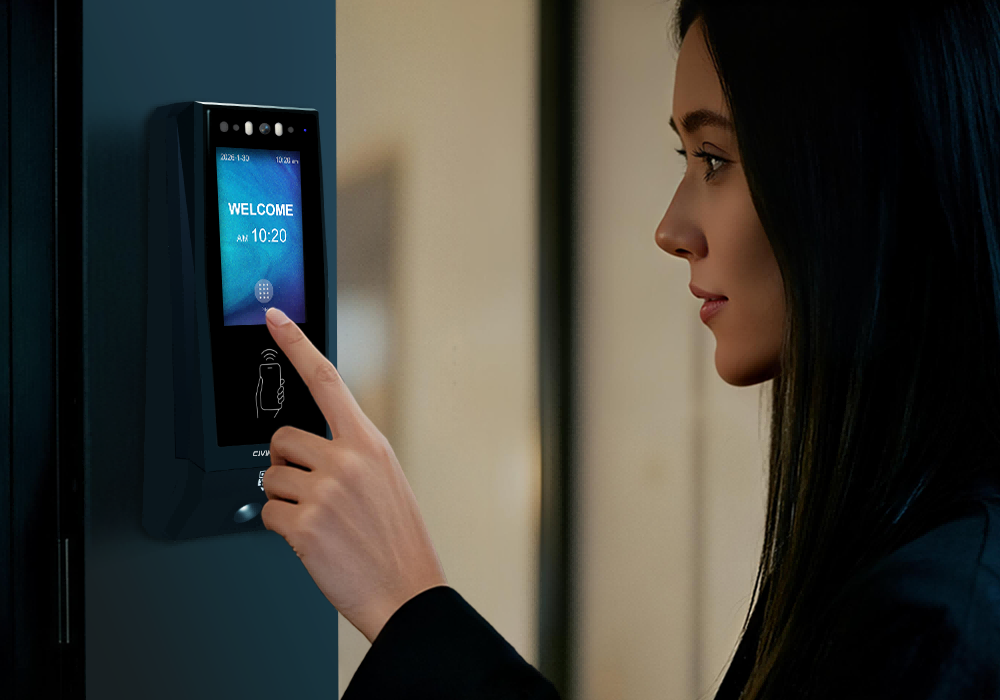
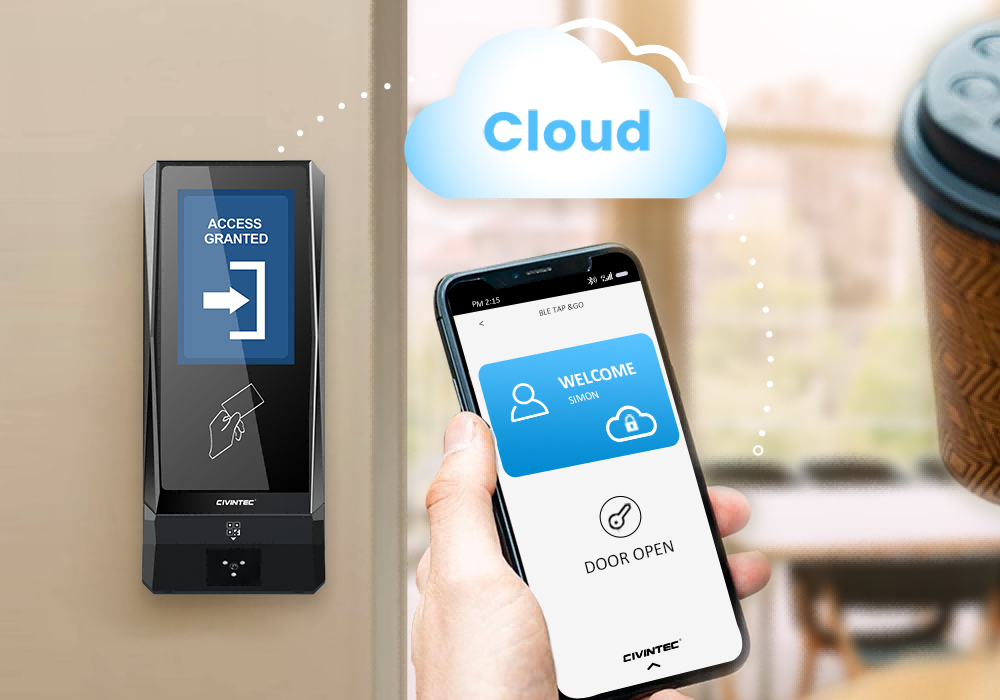
Regular employees, temporary contractors and office staff may prefer different ways to identify themselves. CIVINTEC terminal configurations support RFID cards, NFC/BLE mobile credentials, optional QR code reading and PIN entry; CT11 also offers facial recognition. The multiple identification technologies for time attendance article introduces the wider credential approach.
Several methods can be available within one deployment, provided the selected terminals and customer integration support them. This gives the airport a choice of employee interactions. It does not mean that presenting several credentials is automatically required for every punch.
An RFID staff card offers a familiar interaction at a fixed attendance point. Where an existing airport or employer badge is proposed, confirm its technology, credential application and authorization to reuse it. Matching the operating frequency alone does not establish compatibility with a protected card application.
For secure RFID projects, DESFire EV1/EV2/EV3 credentials can use AES authentication with the correct protected application and key configuration. This can resist misuse based only on copying a public card identifier. Reading a card's UID alone does not activate that protection, and protecting the credential does not prevent someone voluntarily lending a card.
Keep credential replacement separate from employee identity. If a card is lost, withdraw the old credential and associate its replacement with the existing employee record. Attendance history should remain linked to the employee rather than fragmenting across successive card numbers.
NFC/BLE mobile credentials may suit staff who are permitted to use compatible phones at the clocking location. Provide an alternative for employees who cannot carry a phone during their duties or whose device is unavailable. Mobile credential provisioning and withdrawal should follow the employer's account process.
QR codes can support temporary personnel through an appropriately configured QR module and customer-managed credential workflow. Define validity and withdrawal rules in the software. A displayed code can be copied or shared, so a QR scan alone should not be presented as conclusive verification of the person holding it.
PIN entry provides another interaction option. CIVINTEC terminals support basic PIN configuration in standalone mode; assigning individual PINs or implementing dynamic PIN workflows requires the customer's cloud software. For personal attendance, avoid treating a shared code as a reliable employee identifier. Confirm how the chosen PIN workflow maps each accepted event to the correct individual.
CT11 adds touchless facial recognition for projects that select biometric verification. Assess enrollment, the installed environment and employee support arrangements before choosing it for a clocking point. Set appropriate access to biometric data and provide an agreed alternative process for unsuccessful verification.
CT10's camera has a different role: supported photo capture on RFID card and QR code reads. It should not be described as facial recognition. Camera use, image retention and transmission settings should match the employer's purpose rather than becoming a default requirement for every attendance location.
[block1]
CIVINTEC's time attendance hardware solution provides a starting point for combining terminal-based identification with customer-managed attendance applications. The integration should give the employer usable records while allowing its existing HR and payroll systems to remain responsible for their own business rules.
CIVINTEC offers an SDK and demonstration resources for third-party software development. The customer's development team can use the documented communication interfaces and applicable APIs to connect the selected terminals to its attendance software. Confirm the supported commands, event fields and firmware version during scoping. SDK availability does not imply a ready-made connector for every HR package.
Start with the employee identifier already used by the customer's HR system. Map approved credentials to that identifier and maintain a device register that distinguishes each terminal and clocking location. If several employers share infrastructure, the integration also needs to know which organization owns each employment record.
This mapping helps when someone receives a replacement card, moves to another terminal building or temporarily works at another reporting point. The physical credential can change while the attendance history remains associated with the same employee. Cross-employer visibility should be restricted to the agreed operational purpose.
Decide which supported event information the customer application needs, such as the credential reference, terminal identity, recorded time, verification result and selected attendance action. Confirm field availability in the integration documentation instead of assuming every event contains the same data.
Where configured, attendance function keys can distinguish clock-in, clock-out or break-related actions. Keep the employee interface short and clear. The terminal records the selected action; the customer's software determines how it relates to the shift. Selecting an overtime action, for example, does not itself approve overtime payment.
The intended processing sequence is straightforward:
An employee identifies at the designated terminal and selects an attendance action where required.
The integration receives the supported event data and associates it with the employee and reporting location.
Customer attendance software compares the record with the applicable roster and flags exceptions.
An authorized reviewer resolves exceptions before approved attendance results are exported for payroll processing.
Define how the receiving application acknowledges records and handles retries. Repeated delivery of the same event should not produce additional work periods. Preserve the source event and record any subsequent correction separately, so an administrator can explain why the approved result differs from the original punch.
Agree time synchronization and the timestamp convention across devices and software. Airports with overnight shifts need consistent handling of calendar dates; organizations operating across regions also need an explicit time-zone policy. These are integration decisions, not conclusions that can be drawn from the terminal's clock display alone.
Shift information gives airport staff time attendance its operational meaning. A time such as 05:40 may be an early arrival for one employee and a late arrival for another. The attendance platform needs the employee's assigned schedule, effective changes and approved exceptions to interpret the same recorded time correctly.
An illustrative overnight shift might run from 22:00 to 06:00. The two punches fall on different dates, but the attendance application should associate them with the intended work period under the employer's rules. This example describes a software requirement; it is not a claim about a preconfigured CIVINTEC payroll function.
Last-minute duty changes need similar care. If a maintenance employee is reassigned to a later shift, the roster update should reach the attendance process before the original schedule generates a misleading absence alert. A supervisor may also need to distinguish a missed punch from an actual failure to report for duty.
Useful review categories include an unmatched clock-in, an unexpected location, repeated punches and a record outside the planned shift window. Customer software can present these for review according to the implemented rules. A manager should be able to see the underlying event and record the reason for a correction.
For airport contractors, define who approves attendance. An airport operator may need a limited operational view, while a service provider owns its staff schedules and payroll. Sharing a clocking terminal should not automatically expose one employer's attendance records to another. Agree reporting access during system design.
Connecting terminal records to attendance software can reduce repeated transcription when the integration replaces manual imports or paper entries. Payroll teams receive a consistent source of reviewed attendance information, while operational supervisors handle exceptions before the pay-period cutoff.
Keep the distinction between raw records and payable time visible. A clock-in and clock-out pair provides timestamps. Paid hours, breaks, overtime eligibility and allowances depend on the employer's rules and approval process. CIVINTEC terminals collect identification and event data; they do not determine an employee's salary or replace payroll software.
Agree the export format with the payroll owner before developing the connection. The output might include an employee identifier, work date, approved hours and exception status, depending on what the receiving system requires. Test revised records as well as first-time exports, so a corrected punch does not silently create a duplicate payroll item.
A useful pilot follows several representative work patterns through a complete review cycle. Include a normal shift, an overnight shift and a missed-punch correction. Compare the resulting attendance export with the employer's approved calculation before relying on it for live payroll preparation.
Employees may already carry a credential for attendance and permitted access. With compatible hardware and customer software integration, the same credential can also identify their staff canteen account. This is particularly relevant to an airport where early, late and overnight teams use shared dining facilities.
CIVINTEC's Campus & School Solutions describes a related model: identification at terminals connects to customer-managed attendance and canteen functions. Its campus approach includes configurable function keys and account information displayed through the integrated system. For an airport, the corresponding customer application would manage employee dining entitlements and transactions.
A proposed workflow begins when the employee presents an approved RFID card or compatible mobile credential at the canteen terminal. The integrated application identifies the staff account, checks the applicable meal entitlement or available balance, and processes the permitted purchase. A configured terminal interface can display the resulting response where supported.
Meal prices, subsidies, spending limits, refunds and settlement belong to the customer's canteen or payment software. For instance, an employer may fund a defined meal allowance while the employee pays an additional amount through the approved account arrangement. The project team must configure and test that business rule rather than infer it from the reader's credential support.
CIVINTEC's article on cashless payment and smart access in self-service dining provides further application context. This type of employee-account payment should be distinguished from bank-card acquiring. RFID or NFC capability alone does not establish support for EMV bank cards, every mobile wallet or a complete payment service.
A meal purchase should not automatically become a clock-out or an unpaid break. Record its purpose in the dining application and use the employer's defined attendance process for break registration. Otherwise, a quick purchase for later consumption could incorrectly alter paid time.
Credential replacement and employee departure should also be coordinated across applications. Withdraw the old card from both attendance and dining use, while handling any remaining account balance through the payment operator's process. Each application needs only the information required for its role; canteen staff do not need unrestricted access to payroll records.
For fixed staff entrances and reporting points, TCP/IP Ethernet provides a wired connection to the customer's network. PoE can simplify installation for a compatible terminal variant and power source. Confirm the ordered configuration, cable route and available PoE capacity before finalizing the device location.
Wi-Fi or 4G options may suit other locations, subject to model selection and the airport's network requirements. Test connectivity where the device will be mounted. Availability elsewhere in the building does not establish a reliable connection beside a particular staff entrance.
Plan how local recording and later synchronization will work if communication is interrupted. Supported local operation needs the relevant credentials and settings already available at the terminal. New server-side changes cannot reach a disconnected device until the connection is restored. Check delayed-event handling and monitor missing devices in the customer application.
Power continuity needs its own arrangement. A locally configured terminal still requires electrical power, and a PoE device depends on its upstream equipment. Keep a practical procedure for recording attendance exceptions when a clocking point is unavailable, then reconcile those entries through the normal review process.
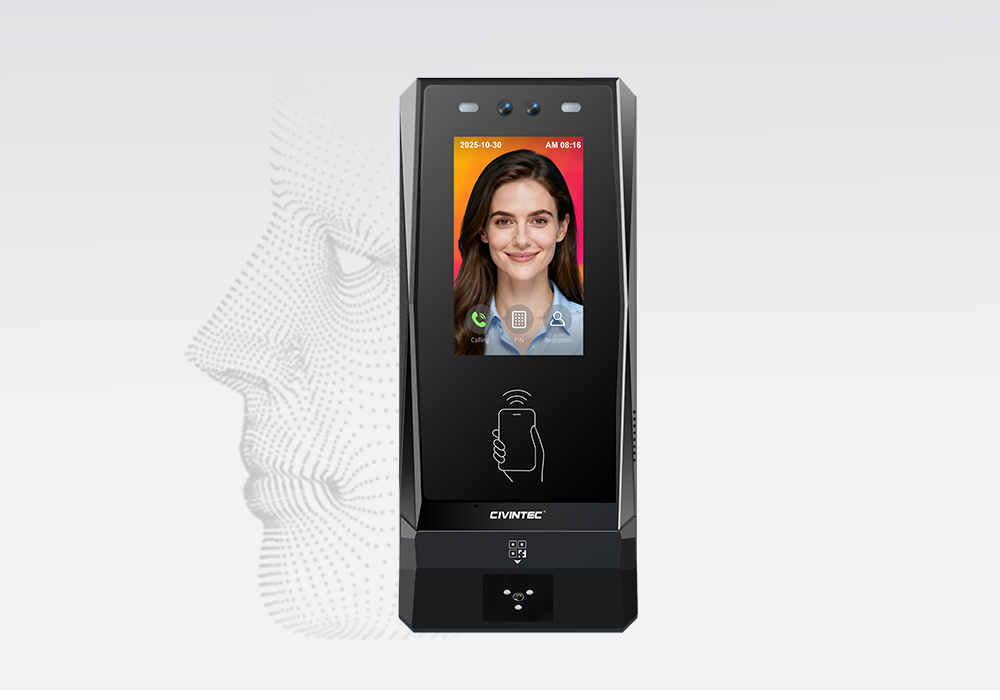
The CIVINTEC CT11 access control terminal suits projects that include facial recognition alongside credential options. CIVINTEC CT10 provides credential-based identification with a camera, while CIVINTEC CT9 PRO provides a credential-based approach with a SAM slot relevant to configured secure RFID applications. All three support customer software integration through SDK resources.
| Selection point | CIVINTEC CT11 | CIVINTEC CT10 | CIVINTEC CT9 PRO |
|---|---|---|---|
| Main role | Facial recognition access control terminal | Credential-based access control terminal with camera | Credential-based access control terminal |
| Credential options | Face; RFID (125kHz & 13.56MHz); NFC/BLE mobile credentials; optional QR code; PIN | RFID (125kHz & 13.56MHz); NFC/BLE mobile credentials; optional QR code; PIN | RFID (DESFire with SAM); NFC/BLE mobile credentials; optional QR code; PIN |
| Interface | 3.5-inch touch screen; Linux | 3.5-inch touch screen; Linux | 3.5-inch touch screen; Linux |
| Camera role | Facial recognition; confirm capture settings | Supported photo capture on RFID card and QR code reads | No built-in camera |
| Assistance | VoIP audio intercom | VoIP audio intercom | No built-in VoIP intercom |
| Software link | SDK for customer software integration | SDK for customer software integration | SDK for customer software integration |
Confirm optional QR hardware and network variants in the quotation. CT9 PRO's SAM slot does not mean a module is already installed or configured. For CT10, agree the RFID/QR photo-capture conditions if that function is required. Select a camera or biometric function for a defined operational need, rather than making it compulsory across every reporting point.
Before expanding, test the chosen terminal with the actual employee credentials and software. Check how a worker confirms a successful punch and how support staff find a failed or delayed event. Include a shift supervisor, the attendance software owner and the payroll team in the review. If canteen integration is included, its operator should verify account charging and correction separately.
[block2]
An integrated airport employee attendance system connects a practical clocking interaction to the customer's schedule and approval process. CIVINTEC terminals provide multiple identification choices and SDK integration resources; customer software turns collected events into reviewed attendance results that can support payroll preparation.
The credential strategy can also extend to employee canteen purchases, with separate rules for dining accounts and payment processing. Discuss the workforce groups, existing software and reporting locations together so the hardware configuration supports the intended daily workflow.
Initiate Technical Consultation to discuss your attendance integration, or Explore Product Specifications to compare CIVINTEC access control terminals.


 Home >
  Share
Share




 Contact Us